
Updated as soon as you publish
Once approved, Sincliq sends the price, promotion or availability to connected labels. The POS continues to use the same catalog.
Update an item's price, promotion or availability in the central Sincliq dashboard. Once the integration is configured, the POS and assigned SUNMI ESLs use the same approved information.
Electronic shelf labels connect the Sincliq catalog to the shelf. Your team updates the item in the central dashboard. Once the integration is configured, the SUNMI infrastructure sends the approved change to its assigned labels. The POS rings up the sale from the same catalog.
The Sincliq catalog holds the item name, code, price and availability. During setup, each label is linked to the correct item, and SUNMI access points carry published changes to labels in the store.


Setup scope depends on the number of stores and labels, shelf layout, network coverage and how the catalog is managed.
First, we organize the catalog and label assignments. Then each approved price change or promotion message can be published to connected labels while checkout continues to use the same data source.
In Sincliq, you maintain the name, barcode, price, availability and item details needed at checkout.
During setup, we link the SUNMI label ID to the correct item and shelf position.
Your team approves the change in the central dashboard and publishes it to labels using that catalog.
The POS reads the price from the Sincliq catalog, so shelf and checkout rely on one approved source.
Sincliq connects the catalog, POS and assigned labels. Prices and promotions are published centrally, so store teams do not repeat the same work at every shelf.
Once approved, Sincliq sends the price, promotion or availability to connected labels. The POS continues to use the same catalog.
Headquarters publishes changes and checks exceptions across connected stores without visiting every shelf.
The setup scales with locations, items and labels without creating a separate catalog for every device.
E-paper replaces recurring printouts and reduces the manual work needed to swap price cards.
The display shows the item, price, unit and promotion in a layout customers can read quickly.
Templates keep typography, color and information hierarchy consistent across every shelf.
SUNMI supplies the electronic labels and access points. Sincliq remains the source for the catalog and checkout price. Before launch, we review store layout, network coverage, label count and item assignments.
Headquarters maintains the catalog in Sincliq and approves the change. Once the integration is configured, the information travels through the SUNMI infrastructure to assigned labels while POS stations keep using the same catalog.
We tailor each label to the shelf, assortment and brand. Price, unit and promotion stay clear for customers, while supporting details help store teams.
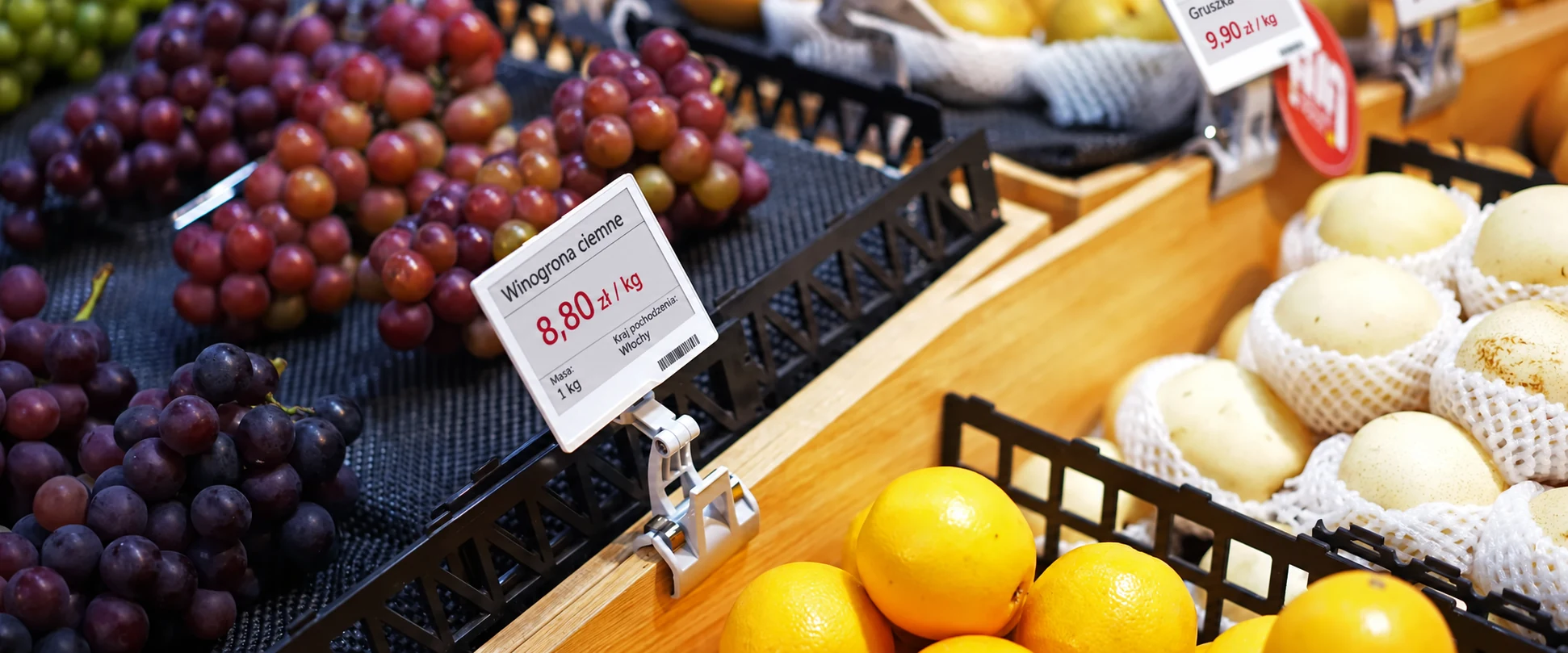
Once the integration is configured, headquarters updates the catalog and publishes the approved change. Labels show the new information, and the POS rings up the item from the same source. Store teams can focus on sales, availability and customer service.
We will walk through item assignment, price and promotion publishing, and the final sale in the POS.